Arpwarp registration
Registration for Arp/Warp
At the wishes of the developer, Arp/Warp must be register on a per user basis. SBGrid verifies that a user has downloaded the Arp/Warp tarball (or .dmg image) to ensure that each user has registered the application. Once this registration process is complete, the Arp/Warp programs is functional in the SBGrid collection.
Arp/Warp is not functional by default and will be greyed-out in CCP4.
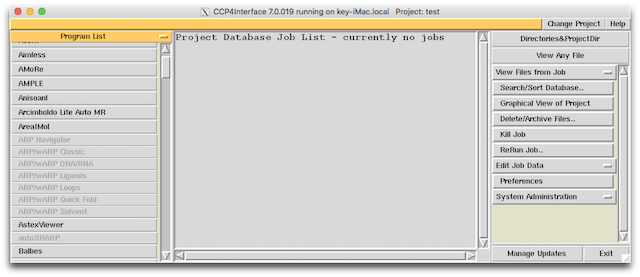
Follow these steps to register Arp/Warp.
-
Visit the Arp/Warp website at http://www.embl-hamburg.de/ARP/.

-
Fill out your info to register Arp/Warp.

-
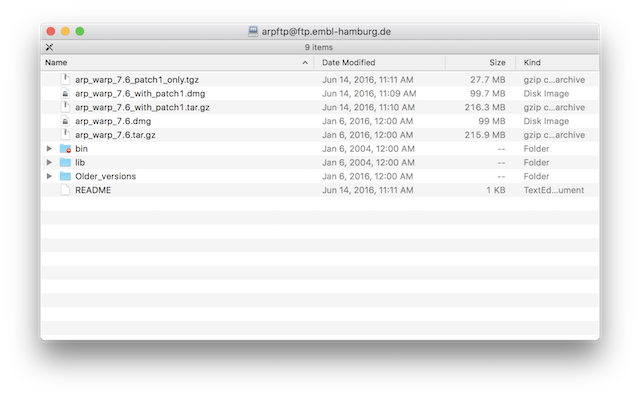
Check your email for download instructions. Download a recent version of the Arp/Warp program in tarball or .dmg format.
-
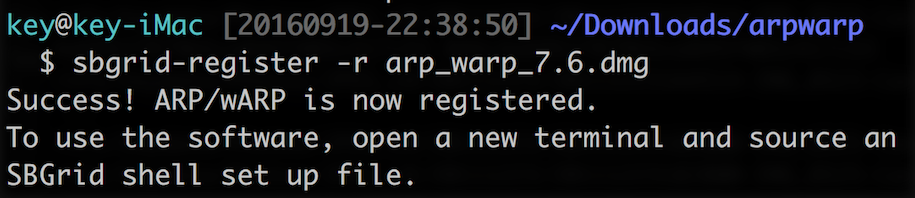
Run the SBGrid sbgrid-register tool on the tarball or dmg file. You do not need to decompress the archive and you do not need to install the Arp/Warp application.
-
Open a new terminal and run ccp4i. Arp/Warp should now be accessible.

Please email bugs@sbgrid.org if you have any questions or problems.